
Create, Issue & Verify
Certificates in Minutes.
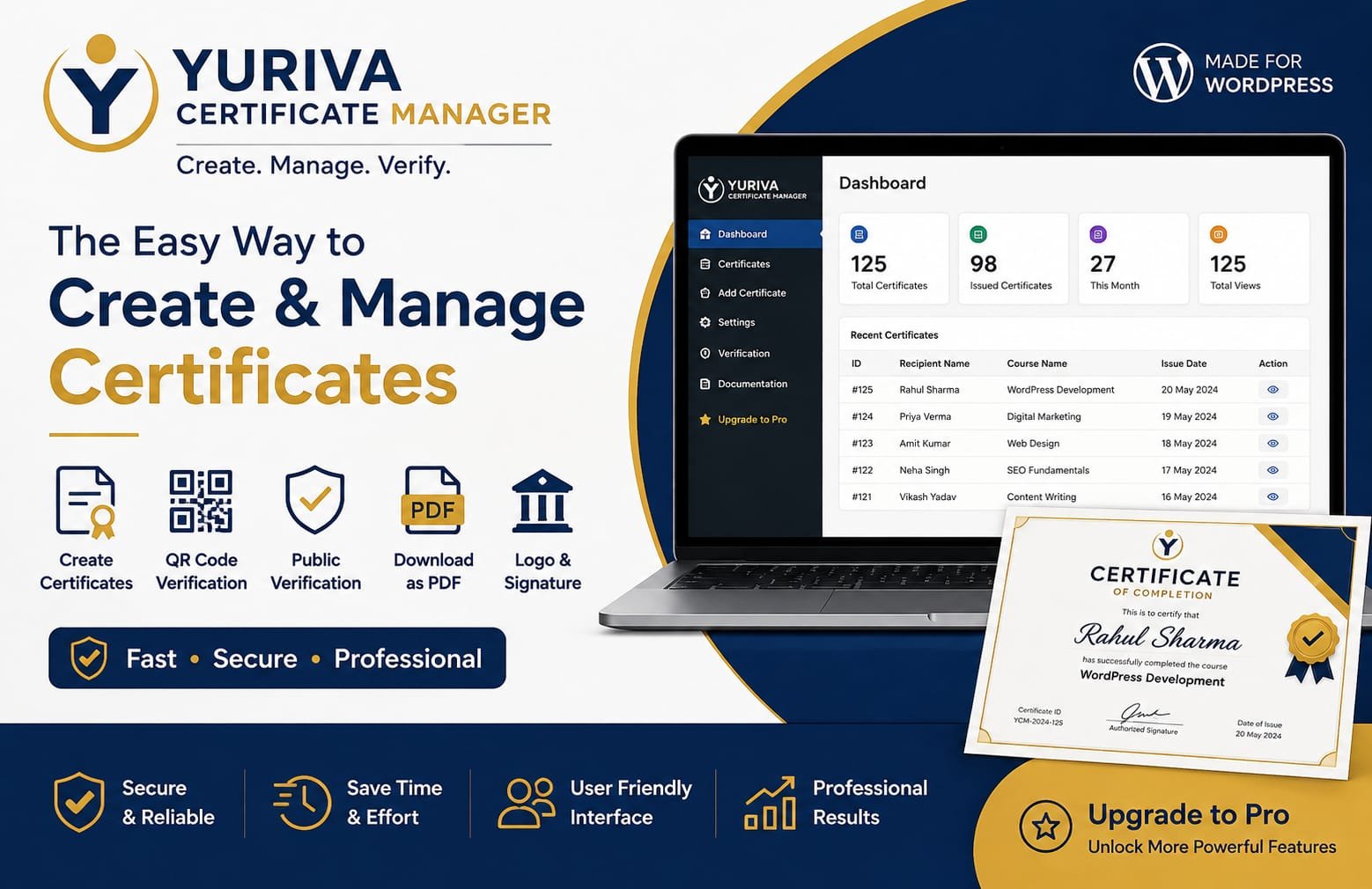
A professional WordPress plugin for schools, training institutes, and organizations that need every certificate they issue to look right — and to be verifiable.
- Secure License Activation
- WordPress Native
- Easy Installation
- Professional Support
A closer look at every screen
From the dashboard to the public verification page, here’s what your team and your certificate holders will actually see.
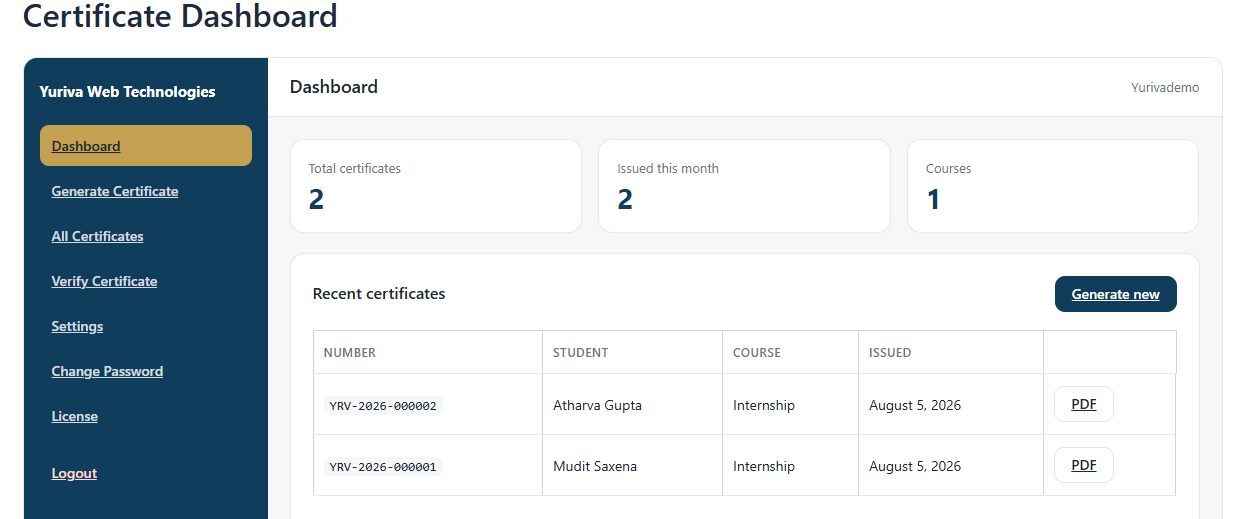
Manage certificates comfortably from a desktop, tablet, or phone.
Everything needed to manage certificates properly.
Certificate Records
Every certificate issued is stored and searchable, with full detail retained.
Drag & Drop Builder
Place text, logos, and signatures visually — no code or design software required.
QR Code Verification
Each certificate carries a unique QR code linking to its public verification page.
Unique Certificate ID
Every certificate is assigned a unique ID that ties it to its verification record.
PDF Download
Certificate holders can download a print-ready PDF copy at any time.
Search & Filter
Locate any certificate instantly by student, course, or certificate number.
Organization Branding
Upload your logo, background image, and signature for a consistent identity.
Custom Fields
Capture student details, course, issue date, and completion date on every certificate.
Responsive Dashboard
Manage certificates comfortably from a desktop, tablet, or phone.
Everything you need to run a professional certificate workflow.
Time Saving
Build a template once and issue every certificate from it, without recreating design work each time.
Professional Appearance
Custom templates with your branding, background, and signature give every certificate a polished, official look.
Easy Verification
Anyone can confirm a certificate is genuine through its QR code and dedicated verification page.
Reliable Records
Every certificate issued is stored with its full details, always accessible from your dashboard.
Easy Management
Search, filter, and review certificates without digging through spreadsheets or folders.
Brand Consistency
Your logo, signature, and background appear the same way on every certificate you issue.
Security
Secure license activation and unique certificate IDs keep your issuance process protected.
Scalability
Whether you issue a handful of certificates a year or run continuous programs, the system holds up.
From template to verified certificate.
Create Template
Issue Certificate
Generate Certificate ID
Verify with QR Code
Download PDF
Simple licensing, no surprises.
Choose the license that matches how many sites you’ll run Certificate Manager on. Every tier includes the full feature set.
Lite
- Unlimited Websites
- 1 Certificate Templates
- QR Code Verification
- Student Database
- PDF Download
- Public Verification Page
Pro
- Everything in Lite
- Unlimited Certificates
- Unlimited Certificate Templates
- Drag & Drop Certificate Builder
- Digital Signature Support
- Custom Logo & Branding
Ultra
- Everything in Pro
- Unlimited Website Licenses
- Multi Organization Support
- White Label
- Early Access to New Features
- Dedicated Priority Support
| Feature | Lite | Pro | Ultra |
|---|---|---|---|
| Websites | Unlimited | 1 Website | Unlimited |
| Certificate Templates | 1 | Unlimited | Unlimited |
| Certificates Issued | Limited | Unlimited | Unlimited |
| QR Code Verification | ✓ | ✓ | ✓ |
| Drag & Drop Builder | — | ✓ | ✓ |
| Digital Signature Support | — | ✓ | ✓ |
| Custom Logo & Branding | — | ✓ | ✓ |
| Multi Organization Support | — | — | ✓ |
| White Label | — | — | ✓ |
| Priority Support | — | — | ✓ |
Frequently asked questions.
It’s a WordPress plugin that lets schools, training institutes, and organizations design, issue, and verify digital certificates directly from their own website.
No. The drag-and-drop certificate builder lets you design templates visually, with no code or external design software required.
Every certificate includes a unique QR code and certificate ID. Scanning the code or entering the ID on the verification page confirms it’s genuine.
Yes. You can upload a logo, a signature image, and a background image so certificates reflect your organization’s branding.
Custom fields support student details, course details, issue date, completion date, and certificate number, alongside your template design.
Yes. Every certificate can be downloaded as a print-ready PDF directly from its record.
Yes. The dashboard is fully responsive, so you can manage certificate records from a desktop, tablet, or phone.
Each license is activated securely against your site, and includes automatic updates for the duration of your plan.
All licenses include access to documentation and professional support from the team that builds the plugin.
Documentation & support.
Installation Guide
Get the plugin installed and activated on your WordPress site in minutes.
Read guide →User Manual
The complete reference for building templates and managing certificates.
Read manual →Developer Documentation
Technical reference for extending or customizing your installation.
Read Docs →License Guide
Understand activation, renewal, and what each license tier includes.
Read manual →Support
Reach the team behind the plugin directly for setup or troubleshooting help.
Contact support →Video Tutorials
Watch short walkthroughs of the certificate builder and verification flow.
Watch tutorials →Get Started with Yuriva Certificate Manager →
Create, manage, issue and verify certificates with ease. Give your organization a faster, more secure and professional certificate management experience.
Get Started Today →